 ZAR
 KES - Kenya
 UGX - Uganda
 TZS - Tanzania
 RWF - Rwanda
 NGN - Nigeria
 USD - Zimbabwe
 GHS - Ghana
 ETB - Ethiopia
 ZMW - Zambia
 USD - International

Independent schools and private colleges in South Africa often bill monthly rather than termly, and parents expect clear statements and easy payment options.
These tips help the finance office keep collections steady all year.
South African specifics
Many South African schools bill fees monthly over the year as well as termly. Choose one approach per fee item and keep it consistent on every invoice.
Student records and parent contact details fall under POPIA; the Information Regulator expects schools to protect them, so use individual logins and role-based access.
Agree the rules before the first invoice
Instalments, sibling discounts and late balances cause the most disputes, so decide them in advance. Put the rules in a one-page fee policy approved by the board, send it with the admission letter and repeat the key dates on every invoice. Staff can then apply the same rules to every family instead of negotiating case by case.
Make term invoices automatic
Typing invoices one by one each term wastes days of office time and creates mistakes. If the fee structure is right, the invoices can be produced for every student at once and reviewed before they go out.
Invoices carry the items, any discount and the previous balance, and go to parents by email or WhatsApp with a link to pay by card or bank transfer through your payment provider.
Know who has paid, today
If you only know the balances after reconciling the bank statement at month end, it is already too late for that term. Recording payments against invoices as they arrive keeps the balance list current every day.
Payments by card or bank transfer through your payment provider are matched to the student’s invoice, and bank reconciliation handles transfers paid straight into the school account. See how parents pay in online payments.
Mistakes that slow fee collection
- Invoicing after term has started. Parents plan around the first invoice they receive.
- Accepting payments without a reference. An unmatched payment is a dispute waiting to happen.
- Hiding discounts in the totals. Record bursaries and sibling discounts as discounts so they can be reviewed.
- One reminder for everyone. Remind early payers less and long-overdue balances more.
- Keeping balances on one person’s computer. If the bursar is away, the school should still know who owes what.
Example: an independent school in Pietermaritzburg
An independent school in Pietermaritzburg moved from monthly spreadsheets to fee structures per grade. Invoices are generated each month, parents pay by card or EFT, payments are matched to invoices and statements show each family’s year to date. Report cards and fee statements now come from the same student record.
Set fee structures per level, not per child
Most fee confusion starts with one-off arrangements typed into a spreadsheet. Define the fees once for each level or class: tuition, meals, transport, activities. Then every child in that level gets the same items, and only genuine exceptions are handled separately.
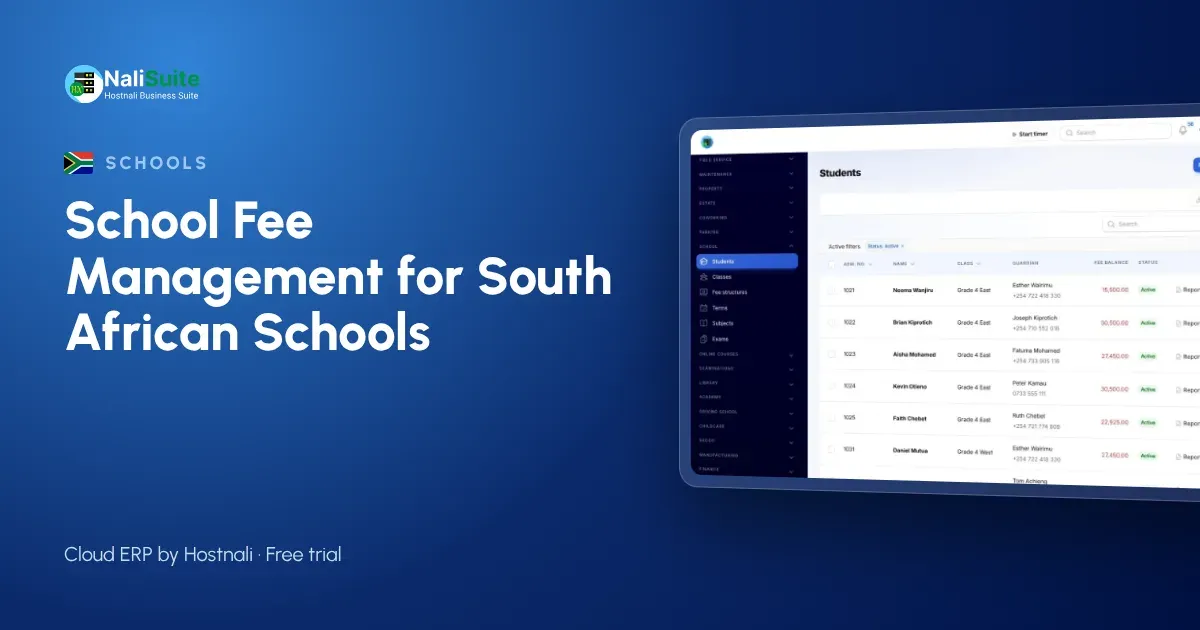
In the School Management add-on fee structures are set per level and invoiced to parents each term in one click, with discounts for siblings, staff children or bursaries recorded as discounts rather than hidden in the totals.
Bring results and fees together
Report cards and fee statements usually come from different places, which means two systems to maintain. Keeping both on the same student record saves effort and gives parents one place to look.
The School Management add-on records exams and marks and produces report cards with grades and positions; the Exams add-on adds timetables, seating, question banks and online papers. Parents see results and balances in the portal.
Connect fees to salaries and the books
Boards want simple answers: how much was collected, how much is owed, and can we pay staff this month? Those answers come easily when fees, payroll and accounting share one system.
Fee receipts and salaries both post to the ledger, payroll runs through Payroll with payslips sent to staff, and term reports show income per level next to costs.
A simple rollout plan
- Import classes, students and guardians.
- Set fee structures per level, with discounts.
- Import opening balances.
- Send term invoices with pay links.
- Add registers, exams and the parent portal next term.
Frequently asked questions
Can we bill monthly instead of per term?
Yes. Invoices can be raised per term or per month, from the same fee structure.
Can we run payroll for educators?
Yes. Payroll works out PAYE and UIF and produces payslips and the monthly figures.
Is the school module an extra cost?
School Management and Exams are add-ons to any NaliSuite plan, so you pay only for what you use. Plans start from R 38 a month.
Can we start in the middle of a term?
Yes. Import students and opening balances, set the fee structure for the next term and carry the balances forward.
Try NaliSuite
If your fee book is still on paper or in a spreadsheet, NaliSuite gives the bursar one place for invoices, payments, balances and salaries. Explore the schools industry page and choose a plan from R 38 a month; every plan starts with a free trial.