 ZAR
 KES - Kenya
 UGX - Uganda
 TZS - Tanzania
 RWF - Rwanda
 NGN - Nigeria
 USD - Zimbabwe
 GHS - Ghana
 ETB - Ethiopia
 ZMW - Zambia
 USD - International

Plenty of South African SMEs have tried an AI chatbot once, been impressed for an afternoon and then gone back to work as usual. The tool was not the problem. The problem was that nobody decided what job it should do.
This guide is a 30-day plan for trying AI in a small business properly: one job, a fair test and a clear decision at the end.
Before you start: choose one job
AI is most useful on work that is repetitive, based on documents or data you already have, and easy to check. In a typical SME, three jobs fit:
| Job | Who does it today | What AI does |
|---|---|---|
| Capturing supplier bills and receipts | Bookkeeper or owner | Reads the document and prepares the record |
| Answering “how are we doing?” questions | Owner, pulling reports | Answers from your own records in plain words |
| Replying to customer tickets | Support or sales staff | Drafts a reply to edit and send |
Pick the one that costs you the most time. Do not try all three in the first month.
Week 1: set up
Get the basics right first. Your sales, invoices and bills need to be in one system, because AI can only answer from records it can see. In NaliSuite that means accounting and invoicing are already in use.
Then:
- Add the add-on for your chosen job: Document AI for bills, or the AI business assistant for questions and ticket replies.
- Create an Anthropic API key in your own Anthropic account and enter it in NaliSuite’s Settings.
- Note how long the job takes today, so you can compare later.
Week 2: use it every day
If you chose bills, upload each supplier invoice as a PDF or photograph each till receipt as it comes in. Document AI reads the supplier, invoice number, dates, lines, VAT and totals, and matches the supplier by VAT number or name, or adds a new one. Check what was read, then save it as a draft bill or, for a paid receipt, an expense.
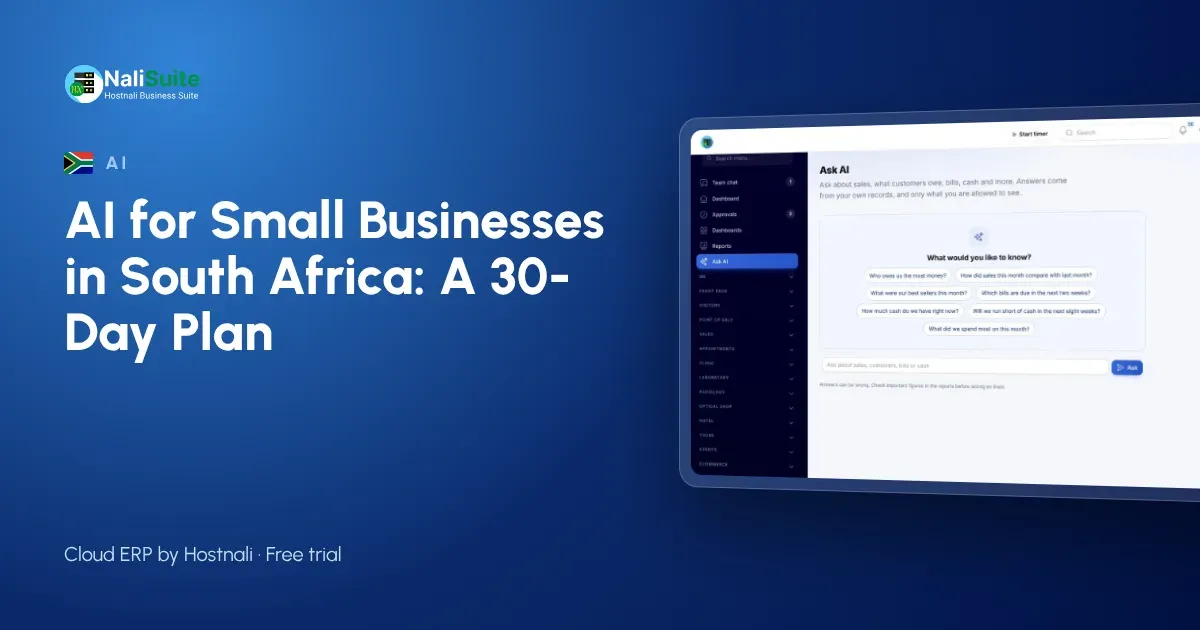
If you chose questions, ask the assistant one question each morning instead of opening a report. “Which invoices are more than 60 days overdue?” “Which products sold best in Gauteng last month?” It answers from your live sales, invoices, bills and books.
If you chose support, open each ticket, read the drafted reply, edit it and send it.
Week 3: check the quality
Now look critically. For a sample of results, compare what AI produced with the source document or report.
- Were the totals and VAT on the bills right?
- Did the answers match the reports?
- Did agents send drafts mostly as written, or rewrite them?
Fix the records where you found problems. Good results depend on clean data, and week three usually exposes a few duplicate suppliers or old unpaid invoices that were never cleared.
Week 4: decide
Compare the time the job took in week one with week four, and look at the AI usage in your Anthropic account. Then decide: keep it, adjust it, or drop it. If you keep it, choose the next job and repeat.
A Johannesburg example
A small electrical contractor in Johannesburg with eight staff picked supplier bills as its first job. The owner’s spouse did the books on Sunday evenings, typing in a stack of wholesaler invoices. During the 30 days, the bills were uploaded on the day they arrived, and Sunday evening became a short review of what Document AI had read. In week three they found two suppliers listed twice and merged them. They kept the add-on and moved on to the assistant’s cash-flow forecast, which shows money in and out week by week with a plain-words summary.
POPIA and AI
POPIA applies to the personal information you process, including through AI tools. Use AI for a defined purpose, give access only to the staff who need it, and know where your data goes. NaliSuite’s AI add-ons use your own Anthropic API key under your own account and its terms, and send only what each request needs. Each person only gets answers from what their role allows them to see.
Cost
Each AI add-on is a NaliSuite marketplace add-on to any plan, and Anthropic bills the AI usage to your own key. The 30-day plan gives you a real figure for both before you commit. See how it fits together on AI in NaliSuite.
After the 30 days
If the pilot worked, write down how the job is now done, who checks the results and how often you review the usage. That note turns an experiment into a normal part of the business, and makes it easy to train the next person who takes over the job.
Frequently asked questions
Does AI save anything before records are clean?
Not much. Get sales, invoices and bills into one system first; AI answers from those records.
Can Document AI read photos from a phone?
Yes. It reads supplier invoices as PDFs and photos of till receipts taken with your phone.
Does the assistant send replies to customers by itself?
No. It drafts replies on helpdesk tickets for your agent to review and send.
Try NaliSuite
Run your 30-day test on NaliSuite, from R 38 a month after a free trial, with the AI add-ons added to any plan. See the plans.