 ZAR
 KES - Kenya
 UGX - Uganda
 TZS - Tanzania
 RWF - Rwanda
 NGN - Nigeria
 USD - Zimbabwe
 GHS - Ghana
 ETB - Ethiopia
 ZMW - Zambia
 USD - International

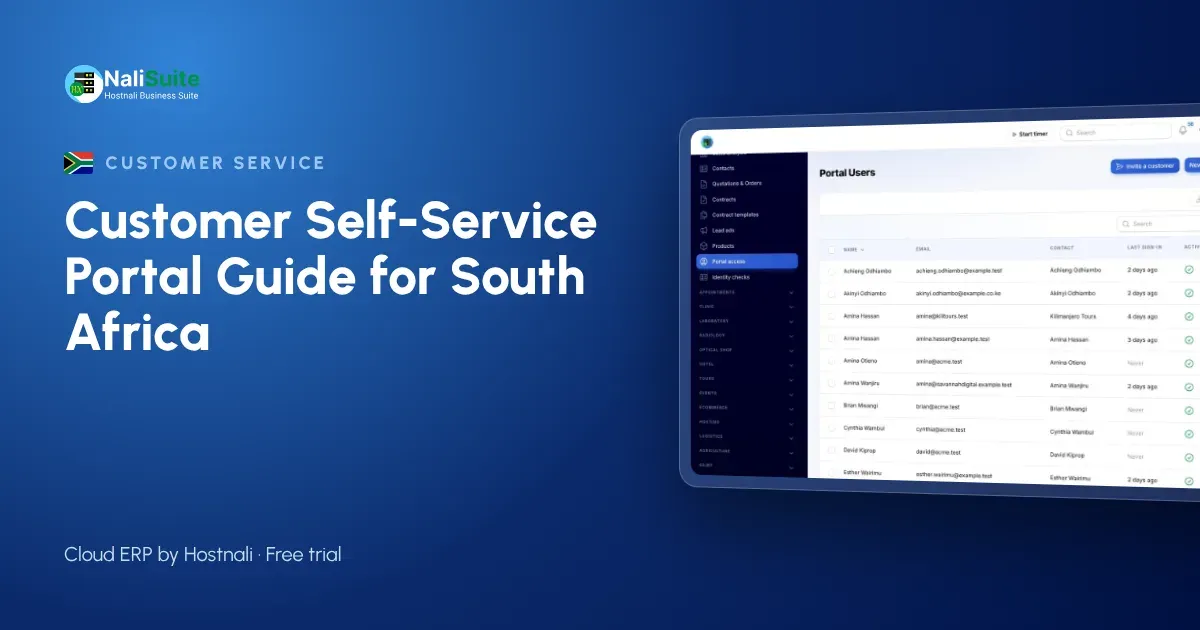
South African customers are used to doing things themselves. They check bank balances in an app, track parcels online and renew licences on a website. Then they deal with a small supplier and have to email someone called Thandi to ask for a copy of an invoice. The gap is noticeable, and it costs you time.
A self-service portal closes that gap. Rather than describing portals in general, this guide works through seven jobs your customers should be able to do without contacting you, and then covers POPIA, rollout and the questions owners ask most.
Seven jobs your customers should do on their own
1. Find any invoice
A customer in Durban preparing for their year-end should be able to download every invoice you sent them in one go. In the NaliSuite customer portal, invoices and statements are always there, with no request to your accounts team.
2. See what they owe
An up-to-date statement removes most “what is our balance?” emails. It also prevents disputes, because both sides look at the same figures.
3. Pay online
Outstanding invoices can be paid by card or instant EFT through your payment provider, for example PayFast or Ozow. Because the payment starts from the invoice, it is allocated correctly without anyone checking references on a bank statement. More on this under online payments.
4. Accept a quotation
Instead of printing, signing and scanning, a customer opens the quotation, reviews the lines and accepts it. Your team is notified at once and can turn it into an order. Quotations come from the sales app.
5. Follow an order
After accepting, the customer can follow the order rather than phoning to ask whether it has shipped from your Johannesburg warehouse.
6. Report a problem
Support tickets opened in the portal land in the helpdesk with the customer’s details attached. The customer follows the reply in the portal, and your knowledge base articles answer common questions before a ticket is needed.
7. Collect documents and sign
Contracts, compliance certificates, price lists and B-BBEE certificates your customers ask for can be shared through the portal, with online signatures where a document needs one.
Access, security and POPIA
The Protection of Personal Information Act (POPIA) applies to the personal details your portal holds, and the Information Regulator oversees it. Good habits for a portal:
- Invite only authorised contacts. Ask each customer who should have access, usually their accounts or procurement person.
- One organisation per login. In NaliSuite, each portal user sees only their own organisation’s records.
- Remove leavers. When a contact leaves the customer’s company, remove their access the same week.
- Share with purpose. Upload a document only for the customers who need it.
If you are unsure what POPIA requires for your type of business, check with the Information Regulator or a privacy adviser.
Rolling it out without confusion
A portal launch fails when customers receive an invitation they did not expect. Avoid that with a simple sequence:
- Tell customers first. A short email explains what the portal is and what they can do there.
- Clean the data. Check email addresses, VAT numbers and open balances.
- Invite in waves. Start with your most active accounts, then the rest a fortnight later.
- Add the link everywhere. Invoice footer, statement, email signature and your website.
- Redirect requests. When someone asks for an invoice copy, send it once with the portal link and a note that it is always available there.
Example: an IT support company in Pretoria
Imagine a small managed IT firm with forty business clients on monthly retainers. Each month it sends forty invoices, answers a stream of “please resend” emails and logs support requests from WhatsApp, email and phone calls into a shared spreadsheet.
After moving to a portal, the pattern changes. Clients receive their invoice by email with a portal link and pay online from it. Their office managers open tickets in the portal, where the firm’s engineers pick them up in the helpdesk queue with service-level clocks running. Retainer contracts and onboarding documents sit in the portal, signed online. When a client’s auditor asks for a year of invoices, the client downloads them in a minute.
The firm still talks to its clients, but the conversations are about their systems, not about lost paperwork.
What changes for your team
| Before | After |
|---|---|
| Emailing invoice copies on request | Customers download them |
| Matching EFT references by hand | Online payments allocated to the invoice |
| Chasing signed quotes | Online acceptance with a notification |
| Complaints scattered across inboxes | Tickets in one helpdesk queue |
The time saved usually goes into the work you would rather be doing: selling, delivering and following up on overdue accounts that need a personal call.
Frequently asked questions
Is the portal a separate subscription?
No. The customer portal is a built-in app on every NaliSuite plan, from R 38 a month.
Can I limit what a customer sees?
Yes. Each contact sees only their own organisation’s records, and you decide which documents to share.
Can customers manage their own subscriptions?
Yes, where you allow it, customers can manage their subscriptions in the portal.
Can it use our company domain?
Yes, on plans that include a custom domain or with the custom domain add-on.
Try NaliSuite
Give South African customers a place to download invoices, pay online and accept quotations on their own. View the NaliSuite plans and start a free trial today.