 ZAR
 KES - Kenya
 UGX - Uganda
 TZS - Tanzania
 RWF - Rwanda
 NGN - Nigeria
 USD - Zimbabwe
 GHS - Ghana
 ETB - Ethiopia
 ZMW - Zambia
 USD - International

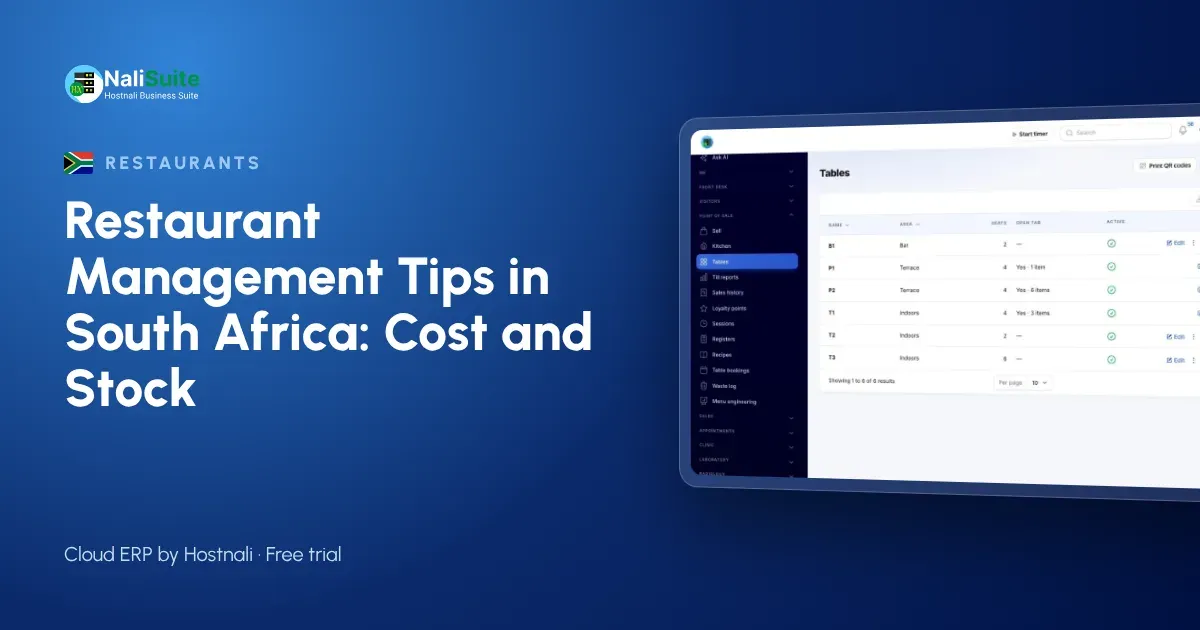
South African restaurants, from shisanyamas in Soweto to cafés in Cape Town, deal with load-shedding, rising food costs and tight margins. The tips below focus on the numbers that decide whether a full restaurant is also a profitable one.
South African details
Plan for load-shedding: a till that keeps selling offline and syncs later protects your takings during outages. Customers pay mostly by card, through your own provider such as Yoco or Peach Payments, so record each payment on the bill.
Staff costs are a large share of turnover. Run payroll from attendance records, and check your obligations with SARS and the Department of Employment and Labour. If you also supply cakes, meals or catering to other businesses, the Food production add-on handles production plans, batches with expiry dates and wholesale deliveries.
Let sales take ingredients out of stock
Counting the store room every night is slow, and counting it once a month means you discover losses too late. When recipes are linked to dishes, every sale takes its ingredients out of stock automatically, so the system knows roughly what should be on the shelf.
Compare that with a weekly count in Inventory and the gap tells you about waste, over-portioning or theft. Restaurant Pro has a waste log, so food thrown away is recorded with a reason instead of disappearing into the numbers. Reorder from suppliers with Purchases when stock drops to the level you set.
Cost every dish before you price it
Many restaurants set menu prices by looking at the competition, then discover months later that a popular dish barely covers its ingredients. Work the other way round: write a recipe for each dish, with the quantity of every ingredient, and let the system calculate the plate cost.
The Restaurant Pro add-on links each dish to its recipe and shows the plate cost and food-cost percentage per dish. Its menu engineering view sorts dishes into stars, plowhorses, puzzles and dogs, so you can see which dishes earn their place on the menu and which need a new price, a smaller portion or a quiet retirement.
Keep selling when the network drops
A restaurant cannot tell hungry customers to wait for the internet. Use a till that works offline and uploads sales safely later: that is how NaliSuite’s offline POS behaves, and it runs in the browser on the devices you already own.
Let customers pay by cash or card, EFT or a payment link, and record each payment on the sale. At closing, the till’s takings can be checked against the cash and payments received. The payments feature explains how the money is matched.
Example: a café in Cape Town
A 40-seat café in Observatory sells breakfast, light lunches and baked goods. The owner bakes in the mornings and sells cakes to two other coffee shops. Waste was high, but nobody knew what was being thrown away or why.
The café started a waste log with a reason for every item, from burnt bakes to expired cream. Within a month the pattern was clear: cakes for the wholesale customers were being over-produced on Mondays. Production now follows standing orders, and the waste log shows the difference in the stock figures.
From order to bill without retyping
Every time an order is copied from one paper to another, something is lost: a side dish, a drink, an extra portion. Record the order once, on the till, against the table.
NaliSuite’s Point of Sale works with restaurant tables, so each table’s orders build up during the meal and the payment can be split across methods. Table bookings from Restaurant Pro let you plan staff and prep for the busy nights.
A simple weekly routine
- Monday: review plate costs for any dish whose ingredients changed price.
- Wednesday: count the ten most expensive ingredients and compare with expected stock.
- Friday: check table bookings for the weekend and order ingredients to match.
- Every day: log waste with a reason and cash up each till against its sales.
Small, regular checks catch problems while they are still cheap to fix.
Staff, shifts and pay
Kitchens and floors run on shifts, and wages are usually the biggest cost after food. Record attendance properly so that overtime and absences flow into pay without arguments. NaliSuite HR handles attendance and leave from staff phones, and Payroll turns them into pay runs and payslips.
Give each waiter and cashier their own login instead of sharing one, so it is always clear who was working the till on each shift. It is fairer to good staff and makes problems easier to trace.
Frequently asked questions
Does the till work during load-shedding?
Yes. It keeps selling offline and syncs every sale when power and internet return.
Can I supply other cafés from my kitchen?
Yes. The Food production add-on handles standing orders, delivery sheets and returns for wholesale customers.
Do I need special hardware?
No. The till runs in the browser on a phone, tablet or laptop, and works with standard thermal receipt printers and barcode scanners.
Try NaliSuite
NaliSuite puts the till, recipes, stock, purchasing, staff and accounting in one cloud system, with plans from R 38 a month. See how it fits restaurants, cafés and food producers, or compare the plans and start a free trial.