 ZAR
 KES - Kenya
 UGX - Uganda
 TZS - Tanzania
 RWF - Rwanda
 NGN - Nigeria
 USD - Zimbabwe
 GHS - Ghana
 ETB - Ethiopia
 ZMW - Zambia
 USD - International

Small South African firms rarely have a dedicated project manager. The owner plans, the senior staff juggle, and everyone hopes the calendar holds. Between load-shedding schedules, client changes and staff on leave, it often does not.
The good news is that a small team does not need a heavy methodology. It needs a clear way to handle three kinds of project, and a single place to see all of them.
Three kinds of project, three approaches
Not all projects behave the same. Treating them differently saves a lot of admin.
Client projects
Work you are paid for: a set of building plans, an IT installation, a marketing campaign. These need deadlines, client approvals and a billing plan. They are where most of the money is made or lost.
Internal projects
Moving offices, launching a new service, getting ready for an audit. Nobody pays for them directly, so they tend to drift. Giving them the same structure as client work, with owners and dates, is the only way they finish.
Repeat jobs
The work you do every month in roughly the same way: monthly maintenance visits, a quarterly report, a standard installation. These are perfect for templates.
How one practice set it up
Take a six-person architecture practice in Observatory, Cape Town. At any moment it has around eight active jobs: house extensions in the southern suburbs, a guesthouse renovation in Stellenbosch and a few small commercial interiors.
The principal moved everything into NaliSuite Projects in a single afternoon:
- A template for house extensions with the stages the practice always follows: brief, measured survey, concept, council submission drawings, revisions, construction drawings and site visits.
- A separate template for interiors, which are shorter and have fewer approval stages.
- An internal project for the practice’s own website refresh, with a deadline it finally kept.
Each task carries an assignee, a due date and a checklist, so “council submission” includes the small steps that used to be forgotten.
Templates: the biggest time saver
Every time the practice wins an extension job, it creates the project from the template and adjusts the dates. That takes a few minutes instead of an hour, and nothing is left out because a junior did not know the steps.
Good templates have:
- every stage you normally go through, in order;
- the role usually responsible for each task;
- checklists inside tasks for the small things that cause rework;
- a realistic duration for each stage, based on past jobs.
Review them after a few projects. If a stage always runs late, the template duration is wrong, not the team.
Seeing who is overloaded
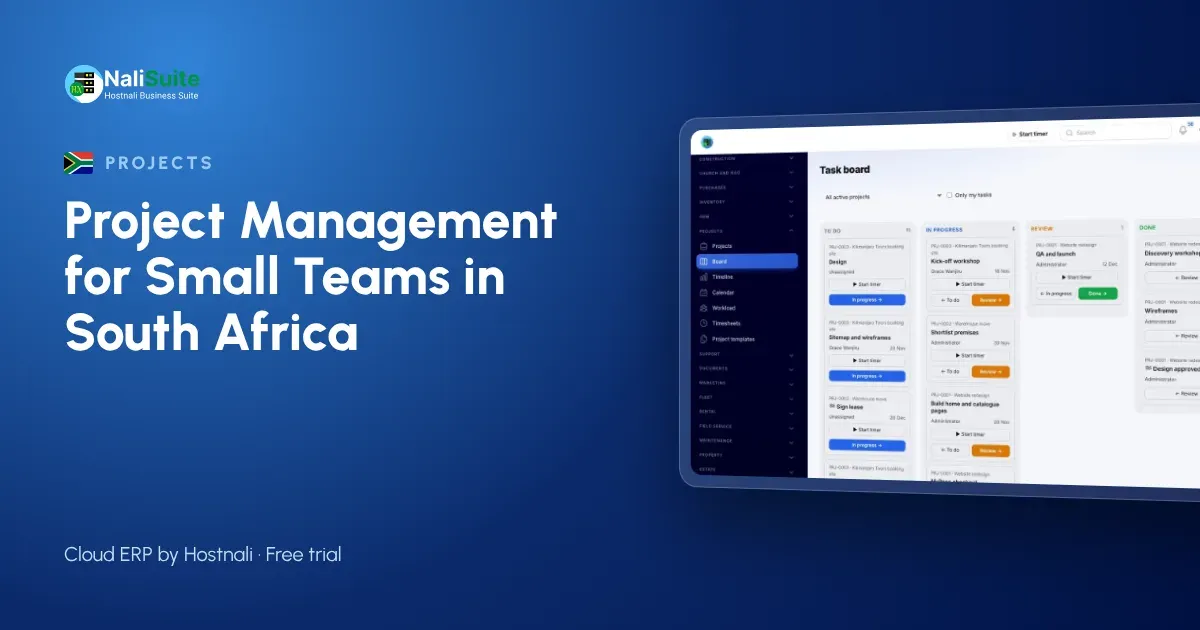
The workload view is where small firms get the most surprises. In the Cape Town practice it showed that one candidate architect was assigned to six jobs at once while a colleague had space. Moving two jobs evened the load before deadlines started to slip.
Use the timeline to see overlaps across projects, and the calendar for site visits and client meetings. When the power schedule or a public holiday affects a week, it is easy to see which deadlines need to move and to tell clients early.
Logging time and billing it
Staff log time from a timer or timesheet, and the principal approves it weekly. Approved time can be invoiced at the rates the practice sets, alongside fixed fees for each stage or milestone payments.
Invoices are raised in NaliSuite Invoicing and include an online payment option through the practice’s payment provider, so clients can pay by card or instant EFT straight from the invoice. If you are VAT-registered, the VAT calculator is handy for checking a quote before it goes out.
Once a job closes, profitability compares the fees billed with the cost of the time logged. For this practice, small interiors turned out to take far more revisions than the fee allowed for, so the next quotes included a limit on revision rounds.
Updating clients without extra calls
Projects can be shown to clients in the customer portal. A homeowner can see that the drawings are at council stage, check the latest invoice and download revised plans without phoning the office.
Client details, site addresses and staff information are personal information under POPIA, so keep access tight: clients see only their own projects, and staff see the jobs they work on.
When staff are on leave
December and Easter leave can leave a small practice short-handed for weeks. Before anyone goes on leave, reassign their open tasks on the board and add a short handover note to each one. The person covering sees exactly where each job stands, and clients are not told to wait until their usual contact is back.
Frequently asked questions
Can we use it for internal projects that nobody pays for?
Yes. Create them like any other project and simply leave billing off. Owners and due dates are what make them finish.
What if a stage takes longer than planned?
Move the dates on the timeline and everyone sees the new plan. If it happens every time, update the template.
Can staff log time from site?
Yes. NaliSuite works in the browser on a phone, so time and task updates can be added on site.
Try NaliSuite
Every NaliSuite plan includes Projects, Invoicing and the customer portal, from R 38 a month. See the options on the plans page and set up your first template during the free trial.