 ZAR
 KES - Kenya
 UGX - Uganda
 TZS - Tanzania
 RWF - Rwanda
 NGN - Nigeria
 USD - Zimbabwe
 GHS - Ghana
 ETB - Ethiopia
 ZMW - Zambia
 USD - International

South Africa’s guest houses and lodges range from a four-room B&B in the Karoo to a game lodge in Mpumalanga. Owners often run the place themselves, so time spent on admin is time not spent with guests. These tips keep the front desk simple.
Running a guest house in South Africa
Guests usually pay by card or EFT, so send an invoice with a payment link instead of bank details in a message; providers such as PayFast or Yoco can be connected to your own account. Lodges that sell game drives, wine tours or transfers can build them as packages in the Tours and Travel add-on, with itineraries and supplier costs.
Plan for load-shedding: NaliSuite runs in the browser and the bar till keeps selling offline. Guest information is personal information under POPIA, so keep it in one secure system and only share it with staff who need it.
Put every room on one calendar
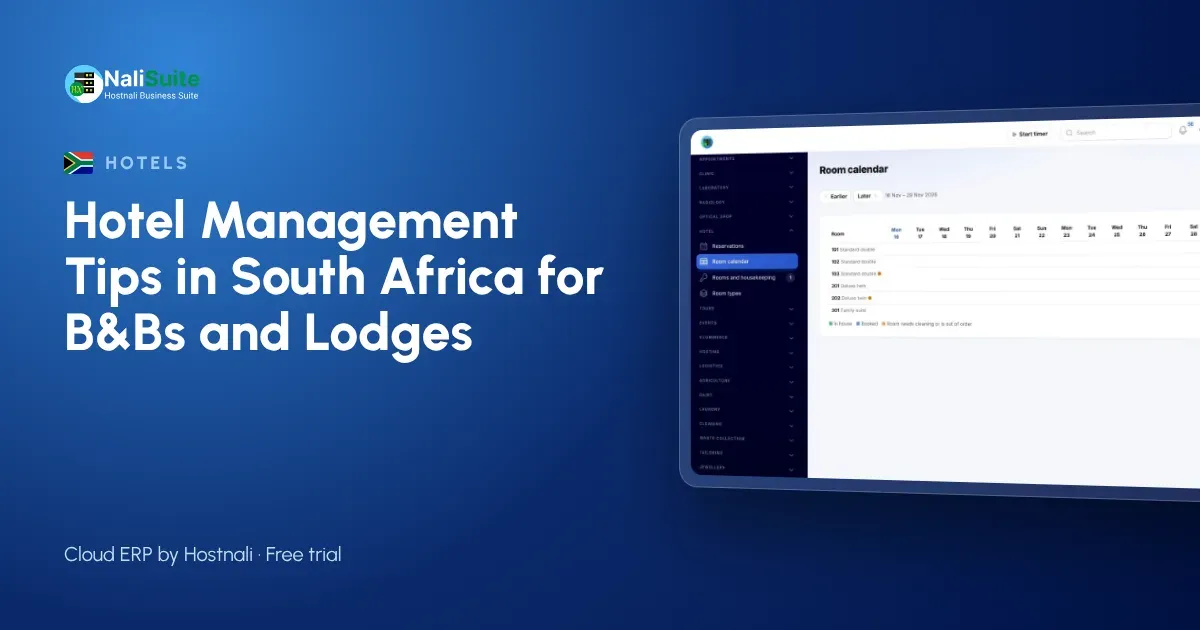
Double bookings almost always start with two records of the same room: a diary at reception, a spreadsheet with the owner and messages on a manager’s phone. Keep one room calendar that everyone works from. Set up your room types and their rates once, then record each reservation against a room so the calendar shows at a glance who is in which room tonight and who arrives tomorrow.
The Hotel and Guest House add-on checks every new reservation against availability, so a room that is already taken cannot be sold a second time. When a guest extends a stay or moves rooms, change it in one place and the calendar updates for everyone on shift.
Clean rooms before keys
A good stay starts with a clean room on arrival. Make housekeeping status part of the room record: when a guest checks out, the room becomes due for cleaning, and it is only offered for check-in once it is marked clean.
The Hotel and Guest House add-on tracks housekeeping status alongside reservations, so the front desk and the cleaning team look at the same list. Soap, towels and other supplies can be tracked in Inventory, with reorder points so you never run out on a full weekend.
Take a deposit before you hold the room
A reservation without a deposit is a hope, not a booking. Decide your deposit rule (for example, one night or a share of the stay) and send the guest an invoice with a pay link as soon as they confirm. Guests can pay by card, EFT or a payment link, and the deposit is recorded against their booking, so reception sees what is already paid when the guest arrives.
With NaliSuite invoicing the deposit and the final bill sit on the same customer record, and the payments feature marks invoices paid as the money comes in. No more scrolling through messages to check whether a deposit really landed.
Example: a B&B on the Garden Route
Picture a six-room B&B in Knysna run by a couple. In December they are fully booked and turning enquiries away; in winter they fill mid-week rooms with business travellers. They used a paper diary and a booking site extranet, and once took a direct booking for a room already sold online.
Now every booking, direct or not, goes into one room calendar, deposits are paid by card through an invoice link, and breakfast extras and laundry go to the room. At check-out the guest gets one bill, and the owners can see December’s deposits and balances without opening a spreadsheet.
One bill at check-out
The most common leak in a lodge is the extra that never makes it onto the bill: a bar tab on a slip of paper, a laundry ticket left in a drawer. When every outlet can charge to the guest’s room, those leaks close.
In NaliSuite the restaurant, bar and laundry charge to the room, room charges post each night, and check-out produces one bill for the whole stay. Walk-in customers who are not staying still pay at the Point of Sale till, so day visitors and residents are handled side by side.
A one-week checklist to get started
- List every room with its type and rate, and enter them once.
- Move all future bookings from diaries and messages onto the room calendar.
- Agree a deposit rule and put it in your booking confirmation.
- Set up the bar, restaurant and laundry items that can be charged to a room.
- Show housekeeping staff how to mark rooms as cleaned.
- At the end of the week, compare takings with your old method and fix anything that does not match.
Look at the numbers every week
Once bookings, extras and payments are recorded in one place, the weekly review becomes easy. Which room types sell best? How much did the bar bring in? Which invoices are still unpaid? Because invoices and payments post to Accounting by themselves, your profit and loss is up to date without a separate bookkeeping session.
Pay your team from the same system too: Payroll works out pay and sends payslips, so wages, the largest cost after the building, are in the same books as your revenue.
Frequently asked questions
Does NaliSuite work during load-shedding?
The till keeps selling offline and syncs when the connection returns, and NaliSuite runs on a phone, tablet or laptop, so you can keep working on battery power.
Can I charge breakfast separately?
Yes. Set breakfast up as an item and charge it to the room when guests take it, or include it in the room rate.
Can I start with just a few rooms?
Yes. The add-on works for a small guest house as well as a larger hotel, and you can add rooms and room types at any time.
Try NaliSuite
NaliSuite brings reservations, invoicing, the restaurant till, stock, payroll and accounting together in one cloud system, with plans from R 38 a month. See how other lodges and hotels use it on the industries page, or compare the plans and start a free trial.