 ZAR
 KES - Kenya
 UGX - Uganda
 TZS - Tanzania
 RWF - Rwanda
 NGN - Nigeria
 USD - Zimbabwe
 GHS - Ghana
 ETB - Ethiopia
 ZMW - Zambia
 USD - International

Most South African small businesses know they should go paperless, and most have tried at least once. The usual attempt is a weekend of scanning that runs out of steam by Sunday afternoon. A better approach is a short, structured plan: change one kind of paperwork each week, and let the habit do the rest.
Here is a 30-day plan, followed by an electrical subcontractor in Centurion, Gauteng.
The starting point
The subcontractor has fourteen electricians and an office of two. It does wiring for new builds and renovations for building contractors in Centurion, Midrand and Pretoria East. Its paperwork includes quotes, job cards, supplier slips from electrical wholesalers, certificates of compliance, staff contracts and a pile of till slips for fuel and small parts.
Before starting, the office owner listed every document type the business uses and who touches it. That one-page list became the plan.
Week 1: invoices and quotes
Goal: no more handwritten or Word-document quotes and invoices.
- Set up your customers and price list in NaliSuite Invoicing.
- Send every new quote and invoice by email from the system, with an online payment option through your payment provider so clients can pay by card or instant EFT.
- Check VAT on quotes with the VAT calculator if you are VAT-registered.
By Friday, every new sale has a digital record, and the invoice book goes in a drawer.
Week 2: supplier slips and receipts
Goal: no more envelopes of slips at month end.
- Raise purchase orders for larger material orders in NaliSuite Purchases, so supplier invoices have something to match.
- Ask electricians to photograph slips for fuel and small parts on the day.
- With the Document AI add-on, receipts and supplier invoices are read for you and turned into bills or expenses for the office to check. It uses your own Anthropic API key.
The office stops retyping slips, and spending is visible during the month.
Week 3: contracts and certificates
Goal: sign and store contracts and job documents digitally.
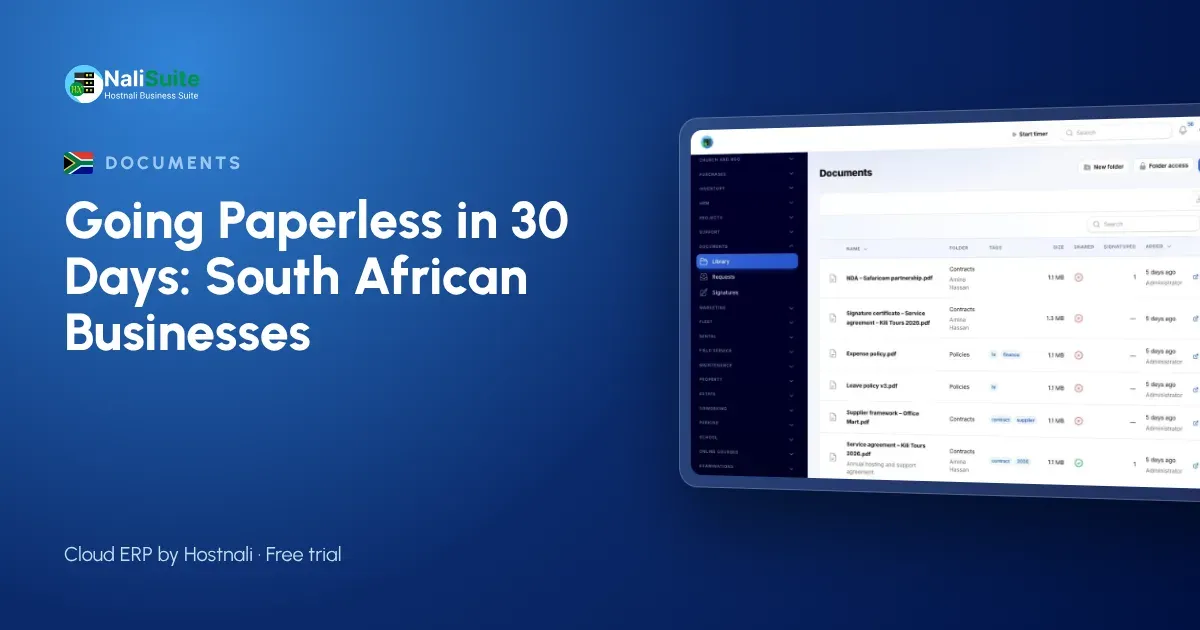
- Create a folder structure in NaliSuite Documents: one folder per client contractor, sub-folders per site.
- Send subcontract agreements and variation orders for e-signature. Each signed document comes back as a stamped PDF with an audit certificate showing who signed, when and from where.
- Store certificates of compliance and test reports in the site folder, tagged by type, and share them with the client through a secure link or the customer portal.
Each signature is recorded with that certificate, which supports its validity. Some documents may still need a wet signature, a witness or an original under South African law; check the rules for your type of document, and keep any originals that are required.
Week 4: staff files
Goal: move HR paperwork into a secure, digital home.
- Keep employee records in NaliSuite HR, with contracts and policies in Documents, signed online.
- Ask staff to upload IDs and qualifications through a document request rather than handing in photocopies.
- With employee self-service, staff apply for leave, download payslips and claim expenses from the employee app on their phones.
Restrict HR folders to the people who need them. Staff files hold the most sensitive information in the business.
Days 29 and 30: tidy up and agree the rules
Spend the last two days on habits:
- Folder rules. Everyone saves in the same structure: client, site, document type, year.
- Tags. Quote, variation, COC, contract, receipt, policy.
- Versions. Edit only the latest version; Documents keeps the earlier ones.
- Old paper. Scan only what you still use. Box and label the rest.
What changed for the Centurion subcontractor
After a month the office could:
- send a building contractor every certificate for a site in minutes, instead of searching cabinets;
- see material spending per week, not just at month end;
- get variation orders signed on the day they were agreed on site, which made them far easier to invoice;
- answer an electrician’s leave request from a phone.
None of this needed a scanner marathon. It needed one change per week.
POPIA and digital records
IDs, payslips, contracts and client details are personal information under POPIA. Digital records are easier to protect than open shelves, as long as you use access control: give each person access to the folders they need, and remove access when someone leaves.
Working through power cuts
Load-shedding is one of the reasons some offices hold on to paper, but cloud records actually cope better. Documents sent and signed are stored online, so they are safe when the office loses power. Staff can keep working from a phone on mobile data, and anything noted on paper during an outage is photographed and filed when the lights come back on.
Frequently asked questions
Do we need to scan all our old files?
No. Focus on creating new documents digitally. Scan old files only when you actually need them.
Can clients download certificates themselves?
Yes. Share them through a secure link or the customer portal, where each client sees only their own records.
What if a signer does not have a computer?
E-signatures work on a phone, so signers can sign from site.
Try NaliSuite
Documents, Invoicing, Purchases and HR are included in every NaliSuite plan, from R 38 a month. Look at the plans and start week one during the free trial.