 ZAR
 KES - Kenya
 UGX - Uganda
 TZS - Tanzania
 RWF - Rwanda
 NGN - Nigeria
 USD - Zimbabwe
 GHS - Ghana
 ETB - Ethiopia
 ZMW - Zambia
 USD - International

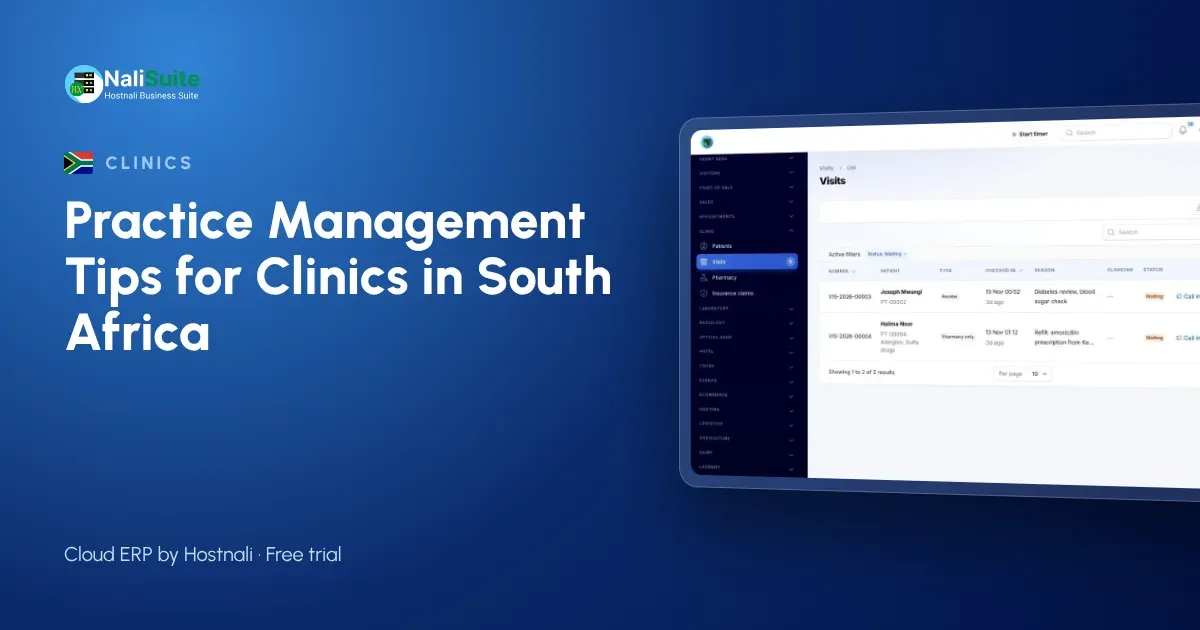
A private practice in South Africa competes on convenience as much as on care. Patients book online, expect short waits and want clear bills that show what their medical aid paid.
This guide covers the systems behind that experience.
Medical aids, POPIA and load-shedding
Most private patients in South Africa belong to a medical aid, so claims and patient co-payments need to sit on one bill. Keep claim references on the visit so reconciling remittances is quick.
Patient information falls under POPIA, and the Information Regulator expects it to be protected, so set roles carefully. Plan for load-shedding too: a laptop with a battery and a mobile data backup keeps reception working when the power goes.
Records that follow the patient
Good records are not about paperwork; they are about safer decisions. The clinician should see allergies and current conditions before writing a prescription, not after.
Keep allergies, conditions and insurance cover on each patient, and capture vitals, notes and diagnosis at every consultation. Limit access by role so reception sees bookings and bills, while clinical notes stay with clinical staff.
Treat medicines as stock, not as a cupboard
Every tablet that leaves the dispensary should leave the books too. When prescriptions are dispensed from stock, you always know what is left and what to reorder.
Keep stock per location if you have a main store and a dispensing counter, record batches as lots in Inventory, and use reorder rules so purchases are raised before the shelf is empty.
Mistakes clinics make when they go digital
- Copying every old paper habit. Start from the visit: check-in, consultation, orders, dispensing, bill. Drop forms nobody reads.
- Sharing one login. Every clinician, nurse and cashier needs their own login, so you know who recorded what.
- Leaving the pharmacy for later. If medicines are not dispensed from stock, your stock report is fiction.
- Ignoring open claims. Review unpaid insurance claims every week; they are income you have already earned.
- No plan for a bad connection. Keep a mobile data backup for reception and the pharmacy.
Example: a GP practice in Polokwane
A GP practice in Polokwane with a dispensing licence moved its bookings online and its dispensary into stock. Patients now choose a slot on the booking page and get reminders, the queue shows who has arrived, and medicines come off stock as they are dispensed. Each visit ends with one bill: the medical aid portion goes on a claim and the patient pays the rest by card.
Get patient flow under control
A full waiting room is not always a sign of demand. Often it means nobody knows who arrived first, who is waiting for results and who only needs a refill. Check every patient in at reception so the queue is visible on screen, and let clinicians call the next person from their own room.
With the Clinic and Pharmacy add-on each arrival joins a waiting queue and is seen in order. Patients who booked ahead come through Appointment Booking, which gives them a confirmation and reminders, so the morning rush spreads across the day.
Make paying the easiest part of the visit
Patients who wait to pay after waiting to be seen leave unhappy. Build the bill during the visit, so the total is ready when they reach the cashier.
One bill per visit covers consultation, tests and medicine. For insured patients, the covered share goes on an insurance claim and the patient settles the rest by card or bank transfer through your payment provider. Learn how payments are matched in online payments.
Connect the lab to the consultation
When the lab is a separate notebook, results arrive late and tests go unbilled. Ordering tests from the visit keeps everything on one record and one bill.
For practices with their own laboratory, the Medical Lab add-on adds panels such as a full blood count, normal ranges by sex and age, and two-step verification before reports are released.
A simple rollout plan
- Import patients, services, medicines and opening stock.
- Create a login for every staff member with the right role.
- Go live with check-in, consultation and billing.
- Move the pharmacy onto stock-based dispensing.
- Add the laboratory and online booking when the basics run smoothly.
Frequently asked questions
Can patients book online?
Yes. Appointment Booking gives you a public booking page where patients choose a time with the person or room they need, with confirmations and reminders.
Can we bill medical aids?
Yes. Each visit has one bill, with an insurance claim for the covered share and the balance paid by the patient.
Is the clinic software an extra cost?
Clinic and Pharmacy, Medical Lab and Appointment Booking are add-ons to any NaliSuite plan, so you add only the ones your practice needs. Plans start from R 38 a month.
Can a small clinic use it, or only hospitals?
It suits small practices well: start with patient records, the queue and billing, and add the lab or online booking later as you grow.
Try NaliSuite
If your practice still runs on cards and a cash book, NaliSuite is a straightforward next step: one system for patients, medicines, bills and accounts. Explore the health industry page and pick a plan from R 38 a month; every plan starts with a free trial.